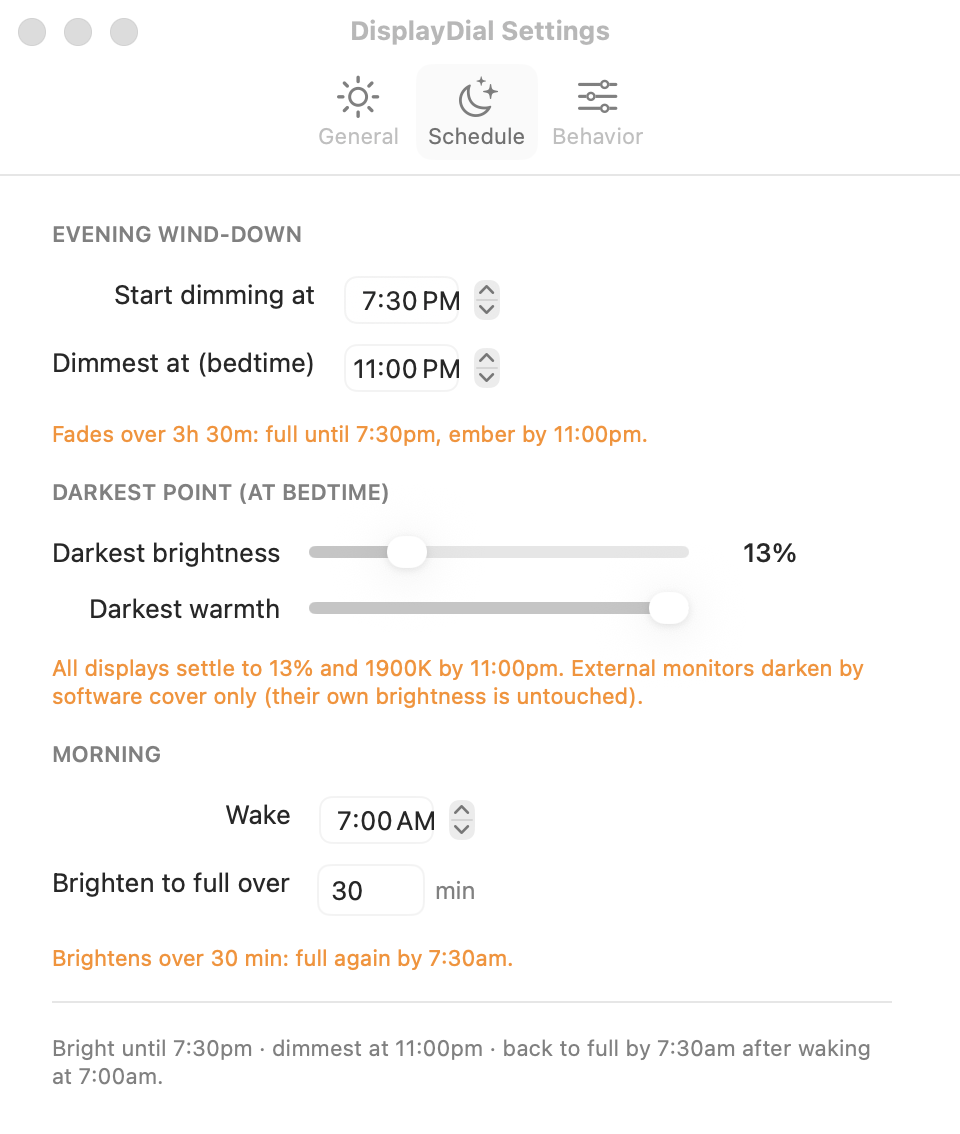
Daily Dimmer is an automatic screen-dimmer schedule for Mac. Set your bedtime once, and your screen's brightness and warmth taper toward it like a sunset, every evening, across every monitor. Ember-calm by lights-out, gently bright again after you wake.
Daily Dimmer is a feature of DisplayDial, the Mac display command center.
This is the actual shape Daily Dimmer follows: a melatonin-aware descent starting about 3.5 hours before bedtime, your chosen darkest point exactly at bedtime, and a gentle 30-minute morning ramp.
Apple's Night Shift warms your screen's color at a fixed time and stops there: no brightness change, no gradual descent, a warmth cap users call "way too warm or not enough," and no way to anchor it to when you actually sleep. Blue-light apps like f.lux warm the color too, but your screen stays just as bright at 11pm as it was at noon. Brightness is the half they leave out.
Not sunset in your timezone, your actual bedtime. 11:00pm means ember-calm at exactly 11:00pm.
Starting about 3.5 hours before bed, both taper continuously along a melatonin-aware curve, down to a candle-warm 1900K and your chosen darkest level.
After your wake time, the screen brightens over 30 minutes. The first email of the day is not a floodlight.

DisplayDial (the app Daily Dimmer ships in) bundles a local MCP server, so Claude on your Mac can move your bedtime curve conversationally: later start on a work night, warmer floor for a movie, back to normal tomorrow.
Runs entirely on your Mac and never opens a network socket. AI requests pass through the same 5% anti-lockout floor as the app itself, so your screen can never be talked into going black.
“I'm working late tonight; push my dimming start to 11pm just for today.”
dim_snooze() holds tonight's curve back, and tomorrow's schedule returns untouched.
DisplayDial is preparing its first public build. Join the waitlist for early access and the founding price, or head over to see the whole command center.
You're on the list. Launch news will come from DisplayDial.
That email didn't look right. Mind trying again?
Launch news only. No cookies, no trackers; anonymous, aggregate event counts only.